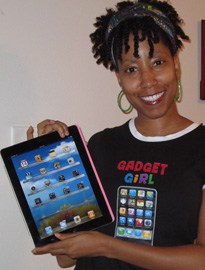
Being the gadget girl that I am, my life wouldn’t be complete if I didn’t dedicate at least one blog post to my favorite iPad apps that have made my online life easier.
Note: Many of these apps are available for multiple devices.
WordPress (Free)
While I prefer to do my composing and edits on a laptop or desktop, I use this app a lot for approving moderated comments when I’m on the go. It’s also great for making quick edits and checking your site stats.
G-Whizz (Free)
This is the one-stop app for everything Google. Not only can you access popular services like GMail, Google Reader, Google Voice, Google+ and more, you can also access your Facebook and Twitter accounts!
HootSuite (Free)
Even though G-Whizz has stolen a lot of the time I spend on this app, I still use HootSuite because I like the automation, UI and how it handles multiple accounts management for Twitter, Facebook and even Facebook pages.
Analytics Pro ($5.99)
Many of you won’t see the need to actually buy an Analytics app because the the size of the iPad screen makes the website version work just fine. However, if you’re a serious gadget girl (or guy) like me then there may be a few features that could persuade you to splurge.
First of all, the UI is much better than the site version and I love having easy access to so many different visitor reports — including the one that lets you see your site views by state.
How cool is it that I can quickly see stats like…
- I get more visits from California than any other U.S. state and the least amount of views from North Dakota
- Mississippi residents view more pages before leaving (lowest bounce rate)
- Kansas residents stay on my site longer than any other U.S. state
Warning: If you’re a stat junky, this app may send you to rehab.
Evernote (Free)
Sync your notes across all your devices so you can access your data anywhere at anytime. If you find yourself using multiple devices throughout the day like me, this is the app for you! You can even create audio notes as well.
SimpleMind+ (Free)
We all suffer from writer’s block at some point, and one of the best ways to deal with it is to create a mind map of your ideas. Throw away your notepad because this app helps turn your iPad into an electronic brainstorming device.
ForumRunner ($1.99)
If you run a forum (vBulletin, XenForo, myBB, and phpBB ), this app will allow your visitors to access a user-friendly, mobile version of your site that loads with amazing speeds. I’ve been using this for WebsiteBabble.com on both my iPhone and iPad and I absolutely love it.
Instapaper Pro ($4.99)
I’m on an airplane quite a bit, so Instapaper comes in handy when I want to download web pages and view them on the plane. Sure, they have Wi-Fi access on many flights these days, but I’d rather save my battery and read offline.
Dropbox (Free)
Install Dropbox on your computer and share your content across multiple devices. If you’re a person who likes to have all your files, images and video with you at all times, you’ll dig this app.
What are some of your favorite apps that help you manage your site/business?

Hi, my name is 

Just what I needed. Thank you, Lisa, you know I love this one. I didn’t use G Whizz yet, so that is being installed ASAP. All the other free apps listed I am already using.
I haven’t tried Instapaper because I am not using it at all, I use Evernote though, I think that is about the same.
I have to grow more for the analytics and forum… or maybe I should just get that analytics app and end up in rehab, lol
Wow, this is exactly what I needed, Lisa’s iPad list!
LOL! I thought about you when preparing this.
Thank you for this list Lisa. Currently, I have an iPhone that has a lot of gaming apps and a few useful ones…
However, I’m getting an iPad soon so these blogging apps will be ideal!
Thanks for the info. I’m looking forward to trying these out once I figure out how get my site up and running successfully. Evernote seems very interesting, I will definitely look into that. Thanks.
Yeah that’s my newest app. Still exploring it but it looks really great.
I just got an iPad last week, so this is perfectly timed info!
Congrats Kristi, and welcome to the world of fun!
Interesting to see that you do so much blog/online biz related “work” on your ipad. I just can’t seem to do that. We have a couple Ipads lying around at home and they almost all the time seem to be used for leisurely reading / web browsing. I suppose InstaPaper would work for me – thanks for the recommendation I will check it out
Honestly I do the majority of my work from a laptop or desktop — especially any extended typing. But I often attend meetups with people at restaurants or local meetups in the city and the apps come in handy for note taking and quickly browsing my social media accounts. The iPad is great for browsing the web, taking notes and using social media sites but I rarely do any major work from it.
Sunil,
you can send an iPad only this way, if you want to. I’ll be happy to give you my address to mail it to me
LOL
Hi Lisa,
I LOVE Evernote.. I use it everyday.. I write content on it, store ideas for future content, I even get people to email me on it so I can have their ideas and work right there to work with!
I love that I can access my notes on my iPad, desktop, on the web or my iPhone!
Great list!
Yes! Accessing my desktop on my iPad is the feature I’m really looking forward to using.
Try teamviewer, Lisa. To remote access your desktop.
See how life has become easier with smart phones.
I agree, James
I love my Ipad too because it helps me a lot most especially when I’m mall or at a cafe. I used to bring laptops before wherever I go but I guess when you are just on a cafe meeting ups with some friends or writing something for your blog I guess Ipad works best. By the way Lisa, I bookmarked this post because there are some apps that I want to try out. Thanks anyway!
Leonard,
this is very true about the iPad being convenient to take along with you when you’re at the mall. For instance, if you have your own site and want to comment on something that you’ve seen at the mall with the iPad, you’re able to do so right on the spot, while “writing a review at the mall”. That’s the beauty of having an iPad
Ah, so I’m supposed to use my iPad for business too? Not just for reading and games?
Thanks for the suggestions.
LOL, I often find myself getting distracted by quite a few games when I should be working. lol
thanks for this 9 great app. The analytics app is a must have and the wp app to.
this blog has a lot of learning material … madam i request u to wriite more 0n the android and its aapps
It is great to add apps to my ipad that would aid me in my tasks online. Dropbox have been really effective in sharing files and I am satisfied with its features. I can’t wait to try the rest of the apps.
Awesome list of apps, really you make my day to blogging from my IPad. My whole schedule sets by your apps here. Thank you so much for the informative list.
Love the wordpress app, is it available on Android aswell?
Some are,not all.
If I had an iPad, I would definitely download a couple of those apps you listed. My favourite blogging app on my iPhone 4 is Tumblr, although don’t use it if you’re on 3G, it absolutely kills your data allowance!
I don’t have my ipad yet! but i will surely follow these when i get…..
I am looking for ipad apps and I come accrross your site and as I read your article there are lots of this comes up into my mind. Thanks for sharing. I am a tech guy who loves gadgets and cool stuffs.
thanks,
james
Awesome list! I am looking forward to buying Evernote. Great features. Please continue to update us.
Thanks for the awesome list of apps, I wanted to start up my own blog and I’d really like to be able to edit it on the go! I wonder if Apple are going to release Siri on the iPad too…
thanks for this great list. i just get an ipad and i will try thesse apps.
Hi Gadget Girl, Lisa,
I am a blogger and I liked the information that you have provided here. I would go for the free applications first and see how they work. For those applications, which are not free, is there a trial version available?
Hi Rodrigo, no trials for the ones listed here unfortunately.
Lisa your blog is wonderful. I have to read it all cause I need to learn much from you.
Keep up the good work!
Great list you have here Lisa! I must say SimpleMind is my fave app of them all. I usually get ideas (most of them good) while doing something else like driving, playing video games, window shopping or people watching. I can easily capture these thoughts via SimpleMind and organize them together with other ideas I’ve gathered.
Thanks!
I’ll join the chorus praising Evernote and WordPress – awesome tools on the iPad.
I also use FeedlerRSS as my RSS reader. It works so well for keeping up with the various blogs across multiple topics.
I will need to check out both G-Whizz and Hootsuite. I’ve just been using the web client for G+ and it is just ok. Hootsuite, I LOVE on the computer and am anxiously awaiting G+ support. It would be great to have on the iPad.
Never heard of FeedlerRSS, Troy. Will have to check that out. Thanks!
i like the wordpress application. it is free also. i will use it in my ipad.
I have to say DropBox is the single most important app I use, and I use it every day. I would be lost without it.
WordPress for ipad is the most amazing and interesting apps for ipad. Though it does not give you the liberty you can enjoy with your desktop and laptop, still it is a very good replacement for bloggers who travels a lot and does not want to carry heavy laptop.
This is awesome list for apple ipad applications. I would love to know more such apps list for android phones
Holy Cow…Instapaper Pro saved my sanity. I gave it a whirl on a recommendation and it came in handy on a flight to Denver that sat on a runway in Cheyenne for 3 hours. Never any luck at DIA
All this tools you mentioned are absolutely amazing and couldn’t agree more. And what else is free? Check out our free giveaway of Elegant Themes. Yes we are giving away and you ought to participate in it.
I got myself a ipad2 since yesterday, and im loving it! I imediatly installed the wordpress app on it, i love it!
I guess I will start with all free Apps first. But still I am not sure how to use Mind map software. Can you write any specific blog post for it ?
Realy great ! thank you !
Great list of iPad apps you have here; well laid out. Of all the apps, only the WordPress is the one that I consider the most important. To even sweeten the deal, I don’t even have to pay to use it.
Hmmm, you’re a mobile-savvy person, Lisa. I too like the idea of mobile blogging. But for now I still love my PC.
I understand. I still do the majority of my work on my personal computer. These apps are great when you’re on-the-go.
Wow! The only apps I have on your list are Dropbox, Instapaper, and Evernote. And I thought I was an Ipad fanatic. I didn’t realize WP had an actual app! I can’t wait to check it out. Also the Google Analytics app sounds exciting – with the extras you don’t get from using Analytics online. Thanks for a truly informative post from a fellow Ipad-a-holic!
Got myself iPad 2 yesterday thank you for this post.
Instapaper it´s fantastic, to have all information with you everywhere
I am already using Evernote and other apps mentioned, but some of them I never heard of. I have to check them out to see what works, thanks for sharing!
Gearing up to get an iPad at Christmas for our business, so this post helped me allot.
I LOVE the pic!!! LOL! You look great my friend!
On a serious note, I love the gadgets too. They really make life easier.
he he he! Thanks, Ana.
thanks for a great list of apps. i will try it on my ipad.
Thanks for the list. It’s hard to keep up with all the apps these days!
Hi Lisa,
what’s your recommendation for reading rss feeds, finding something interesting, adding a few notes to it and directly uploading it to your wordpress blog?
Having a bit of trouble finding a good solution because I don’t want to copy & paste etc. and want all the pictures for the original post copied as well (or it won’t make much sense to my readers).
Any tips would be really appreciated.
Bora
Hi Bora
I haven’t found anything that I like for directly uploading to WordPress. I prefer to do my publishing from my desktop or laptop. But Evernote is good for the note taking part because you can save clippings from the web or take manual notes.
What desktop app do you use for doing what I described above? Still trying to find I
A good one for it as well
These are good list of iPad applications.. I will probably opt for free applications.
Thanks for it buddy
My favorite is the Dropbox because I am in school and I store all my work to be read later. I am trying out simplymind+ to see how I like it. thanks
There are many apps you can use when you’re blogging. That’s what makes the iPhone a great phone companion. Great selection here, I already use most of these.
It was interesting to have read about what all apps makes things easier for bloggers and what makes the blog user friendly for the readers. It’ll be certainly interesting to check on the iPad how these apps really works.
I love Evernote and Dropbox, two really great apps that stop me from forgetting things!
wow, i guess itz time i start using my ipad for something reasonable . thanks one more time lisa.
what’s your recommendation for reading rss feeds, finding something interesting, adding a few notes to it and directly uploading it to your wordpress blog
I had exactly the same question and was hoping to find an answer. Haven’t found anything yet that does this. Instapaper used to be able to read rss, but doesn’t have the feature anymore.
I can’t imagine living without Evernote – it seems that I am on way too many devices and trying to keep track of things is a nightmare.
Do you know if you can use something like Dropbox on the iPad as well? I was thinking that it would be a great addition to your list (if it works), as I use it to keep the documents I need to keep handy in a central location so that I can access them from any computer.
These are all iPhone compatible too !
Great reviews Lisa. I am still warming up to an Ipad.
Wow this is a cool list and very helpful the users. I have a free app to suggest as well. Its Freephoo, a voip app for iPad…
Hi Lisa. I’m a gadget freak myself too.
I love dropbox so much because you can keep files there and can access it anywhere too.
very thank you Lisa. word press app is my favorite.its help for my blogging business very well.nice share:)
Those are some really great iPad apps.
I just got an iPad a couple months ago and haven’t used it to its fullest potential when it comes to working on my sites. I didn’t know you could get WordPress for your iPad. That is AMAZING!
I am going to install that on my iPad right now. Will use it like you said for moderating comments and what not but not for writing posts because that would just be very difficult without a keyboard.
Thanks for sharing these awesome apps!
Are you kidding me? There is a wordpress app for the iPad?
Wow I didn’t even know that. That is awesome!
I’m downloading it right away, this will make my life so much easier.
As I am a very fast writer on the iPad I’ll be even able to write posts on it on the beach. This means freedom for me!
Thanks for this wonderful post!
Alen
I want Evernote! I also think your shirt is pretty cool!
Of all the apps mentioned, the two that I love most are wordpress and dropbox. Awesome apps. I can’t live without them on my gadget. I will have to try out the other apps mentioned.
Wonderful apps, now I know how to select blogging my apps.
Hi Lisa,
Thanks for the beneficial info about iPad apps. I must look into these you mention further. Great site BTW!
Catherine
hello.can i borrow that.
hehehehe
Hey Lisa,
Happy to read your article. Well for a mobile blogger this one helps a lot.
Thank you LISA! May I add something? I mean addition features and also compare between SAMSUNG GALASY.
Good iPad apps can make blogging via iPad as simple as blogging from a personal computer.
Pingdom::
Pingdom iPad app connects the blogger to the Ping Dom account, and sends a notification whenever the blog service is down. The app is available as a free download from iTunes.
Tweet Deck::
Tweet Deck iPad app enables bloggers to stay updated with the latest trends. Bloggers can manage multiple blogs with this app, and the best part is that the app is available free of cost.
Some Android Apps for the Samsung Galaxy Tab
1. LauncherPro. The Galaxy Tab ships with Samsung’s TouchWiz interface, and while it is passable I prefer more utility in the most-used feature of the Android tablet.
2. Beautiful Widgets. Android is all about customizing the system to user preference, and this widget is a good start.
3. Dolphin Browser HD. The browser on the Tab is decent enough, but I use Dolphin Browser by default.
4. Plume. Twitter clients are a dime a dozen, and Plume is my app of choice.
5. Kindle. The Galaxy Tab is a wonderful ereader with the 7-inch screen, and the Kindle app is my preferred method to read ebooks. There are alternate readers available, Nook and Kobo for instance, but since Amazon has my purchased content Kindle is my reader app. Free.
6. gReader Pro. I follow hundreds of RSS feeds daily, and while I use Google Reader on the desktop I use gReader Pro on the Tab.
7. Pocket Informant. This calendar and task manager is as good as it gets on a mobile device, and I spend a lot of time in it each day.
8. Amazon MP3. I have been purchasing my music from Amazon for quite some time, and the MP3 app makes that easy to do on the Tab.
=======Thanks===========
my favorite app is Analytics Pro and it is only ($5.99), I love going to starbucks enjoying my coffee and playing around Analytics pro, I just installed G-Whizz to see if I like, thanks for the recommendation Lisa, you rock girl
Starbucks and the iPad are a great mix! I can relate.
Hi Lisa, list that you write very helpful. My tablet to be more optimal.
Thanks for sharing such valuable information on “Apps”
Can’t believe I never considered using them before I came across your blog. So many thanks for the time and effort you put into getting them.
Warmest wishes
xoxox
Hi Lisa,
Thanks for sharing the apps.These apps are worth to try.
I am the gadget girl as well lisa
Great list you have here Lisa! Of all the apps mentioned, the two that I love most are wordpress and dropbox. Thanks sweet !
I love your collection Lisa! SimpleMind+ looks excellent. Writer’s block is something that bugs me a lot and frequently. I’m hoping it’ll help me. Thanks
You list up some necessary apps for bloggers. btw i would love to use wordpress, dropbox and hootsuite if i buy an ipad in future!
It is great to hear that you are a gadget girl.Congrats
Hi Lisa,
I am not a gadget freak, but still I loved your list. Hope to try some of them in future. Great post!
I’m a massive gadget fan, and I do really appreciate the list. My personal favorite is Analytics pro. One of the few paid ones on the list, it offers a great range of options.
It’s worth the small investment of $5 to get it
Thanks, Lisa for the list. I recently brought an ipad but other than the wordpress app, I didnt know what other apps were helpful for bloggers. This list helped alot!!!
Hi Lisa,
just wanted to remind you how much we as your Internet loyal readers value you for being a genuine and down-to-earth person. thanks so much for putting up this useful information about apps. Keep the blogs coming, young lady!
[DrewryNewsNetwork] =)
we keep the “puters puting”…LOL!
i Pads are simply awesome. Me and all my friend are big fans of i pads. we love it. and it’s Application are simply out of the world. it makes our gaming experience like never before.
The article is full of information. Grate post with Gadget information.
Nice article.Very useful apps.Thank you for sharing.
I’ve been looking for an excuse to buy an iPad, reading about these apps could be just that. I didn’t know there was a wordpress one available.
bah I’ve been avoiding the desire to get an ipad but articles like these makes me want to think I could use one..
I’ll have to check out the analytics app to see if it’s worth the buy.
While I prefer to do my composing and edits on a laptop or desktop, I usethis app a lot for approving moderated comments when I’m on the go. It’s alsogreat for making quick edits and checking your site stats.
Lisa, once again you’ve “helped a brother out.” LOL
I got an iPad several months ago but didn’t know there was a free WP APP. This is really going to help me complete my site at: http//myansweredprayers.org. I’m still working on it but with your advice and help, I should be up and running like a pro (YOU)! Blessings and Peace to you. Keep up the GREAT work.
Well Gadget Girl, I think you just about covered it all. Now I can definitely manage all of my information from once source. Simple mind is my new favorite toy
gread article !
thank you.
Hey Lisa,
Another superb and informative article, as expected from a professional. Since I am a blogger, your headline insights me and been motivated to try out the apps that you are mentioning from above. Thanks.
having a tablet is pretty good as a blogger, because you’re able to create content on the spot in talking about any specific topic exactly on location. So let’s say for instance, if I might the shopping mall and I see something on sale in the window while walking by. I can have my tablet on me at the moment, and have instant Internet connection, with the ability to blog and share with others online while I’m standing in front of the store watching the discounted price sale on whatever is on clearance, and post that to my blog in sharing with everyone. This way, if I have local readers that read my blog frequently and live by the mall, they would be inspired to stop by the mall and go to that specific store to see what is on sale, and to also see and verify if what I blogged on is true, as they would also share my blog link with others. So yes, it is good for bloggers and webmasters to have iPAD’s and installed iPad apps, so that they can have extended functionality with their blogging efforts, as well as make more money online too!
HootSuite is my fav app for iPad.. i love it…
Sweet! I dearly love my iPhone, and some of these are on my “to do” or “to try” list.
You might be interested in a new one that’s just testing the water now…. iPad app and service allowing authors to sign ebooks. …The name of the company is Autography. I saw them do an online book signing through goodereader.com. …pretty cool stuff.
Awesome list of apps, really you make my day to blogging from my IPad. Are you kidding me? Thank you, Lisa, you know I love this one.
What? There are WordPress apps! I will check it right now. Thanks for the tips Lisa.
I figured I’d fill you in while I’m here. Make sure you enable your blog to work on mobile devices. If you don’t take these steps, as far as I know, it will not work on any mobile device.
Settings > writing > click the check box for “XML-RPC”.
Enjoy
Nice list! I like box.com more then dropbox.com because muuuch bigger online storage – 50 GB!
And WordPress app is almost faster and better than desktop computer version! Thanks!
There are so many.. I’m kind of scared to go from Cloud to cloud because at the end of the day, it’s our information on someone else’s servers. Kinda spooky..
I still haven’t activated Apple’s cloud. I’m good with Dropbox and my 2.5 gigs..
I’ll check them out but I’m almost sure they don’t hale in comparison to the features of Dropbox across iPhone, iPads, androids and Desktops..
very good list of apps. i will try some of them.
mery christmass to all..
Evernote is my favorite app and its really worth of might!
Drewry is wishing everyone and Lisa a blessed and prosperous 2012. Hope everyone, which is their positive business goals
Thank you so much for having me here!
http://www.drewrynewsnetwork.com/f6/honoring-amazing-accomplishments-tom-terwilliger-2433.html
Evernote, Dropbox and wordpress are an absolute MUST on my iPad and iPod (just in case)..
I like having WordPress because after I release a blog post and it goes out to my list through aWeber, I read it with a fresh mind in the morning and quickly correct any errors.
I use Tweet Caster for twitter and Facebook but Im downloading this HootSuite tonight. I tried it on my computer but didn’t like the web based version.
great post Lisa.. thanks
Hiii..really a great list of ipad applications! I’ll also prefer to use them in my projects. If you continue it with more update, it will be more beneficial for me.
Great information on apps for I pad, I have a I phone and the apps are available there as well. It helps in having something to see what is going on while on the go. Thanks for the information. It’s smaller but I will work it out.
Has anyone used Cirrus by Archon Apps for custom ipad forms?
Very nice list, WordPress and Dropbox are my favorite apps.
Yup I am also using the Dropbox.
Realy good cloud service.
Heck how could I miss that WordPress app it will comes really handy while I am on a road. Thanks for the great tip
I am into gadgets too. Couldn’t live without my iPad.
I love dropbox. Got hooked quickly and had to buy more disk space. Makes sharing large files with clients easy.
Have been meaning to try Evernote. Thanks for the suggestion.
I use word press on my iPad and it’s absolutely fantastic. I can update products on websites with ease, can’t say I’ve used G-Whizz but it sounds like it might be worth looking at.
dropbox,wordpress and forum runner are the best applications listed above
I have never come across G-Whizz or HootSuite, I must give them a try.
Thanks Lisa. Just that I needed. I am going to try that wonderful applications.
I love tablet PC Its great Thanks Lisa for share wonderful application i am happy for this discussion.
http://www.aamion.com/
Awesome tools indeed. I use all of them, and are really helpful when i am not in reach with my PC.
I realy enjoy word press especially when i am blogging. It can be hard to navigate at times though which is a shame. Thank you for this collection its great to see the large variety of apps out there.
G-whizz is not free now
I have just recently started a blog and I have landed on your website a couple of times on different posts, I must say that you have very interesting content on your blog.
I have one question which plugin are you using in the side bar that shows latest popular and comments ?
Hi Krazy Blogger
It’s part of my theme called Headlines by WooThemes.
And what about the mail box right above the widget ? does that comes with the theme too ?
No that’s just code I pasted from AWeber. But AWeber has a widget.
I used to hate word press simply because i struggled to use it. I found blogger so much easier to use. Although word press makes great use of meta tags whereas in blogger they have to be installed manualy which is quite a pain. So which do you prefer when it comes to blogging and why. I currently have a blog on ipad apps and decals if anyone would like to check it out or find a nice back link.
i love the instapaper app. i use it to keep some pages for later when i can look at them….
I haven’t tried blogging using an iPad or smartphone yet. But is it safe?
I still prefer using a desktop or laptop for blogging.
I have got my iPad recently and tried some of these Apps they are amazing.
I love your collection Lisa! SimpleMind+ looks excellent. Writer’s block is something that bugs me a lot and frequently. I’m hoping it’ll help me. Thanks
if I prefer the free version of the dropbox(free) because I wanted to try the free version first.
i just downloaded most of them in my iPad. They just awesome for bloggers !!
Hey Lisa !
This is a fabulous list. I personally use dropbox, which is actually awesome, indeed. Moreover, through this post i found some other apps useful for me such as simplemind+, evernote and hootsuit. These are awesome apps. everyone should know about these.
Thanks for sharing this post.
Brian